Module 13: JavaScript Deobfuscation

These notes are from the JavaScript deobfuscation sections in the module. I kept the lab commands, unpacked code, and curl replays as I ran them.
Note on the labs: the HTB Academy targets here (live IPs,
/serial.php,/keys.php) are isolated module labs. Replay requests only inside that environment.
Back to Module 12: Module 12: YARA & Sigma For SOC Analysts
Module 13 Navigation
On this page
Introduction
Obfuscated JavaScript shows up in web apps and in malware that pulls payloads from the client side. This module was about finding the script, reading through the obfuscation, and replaying what it does over HTTP.
- Start with HTML source, comments, and linked
.jsfiles. - Work through minification, packing, and heavier obfuscation until the logic is readable.
- Replay the hidden POST and decode whatever the server sends back.
Source Code
Finding JavaScript often starts outside the obfuscated blob.
HTML
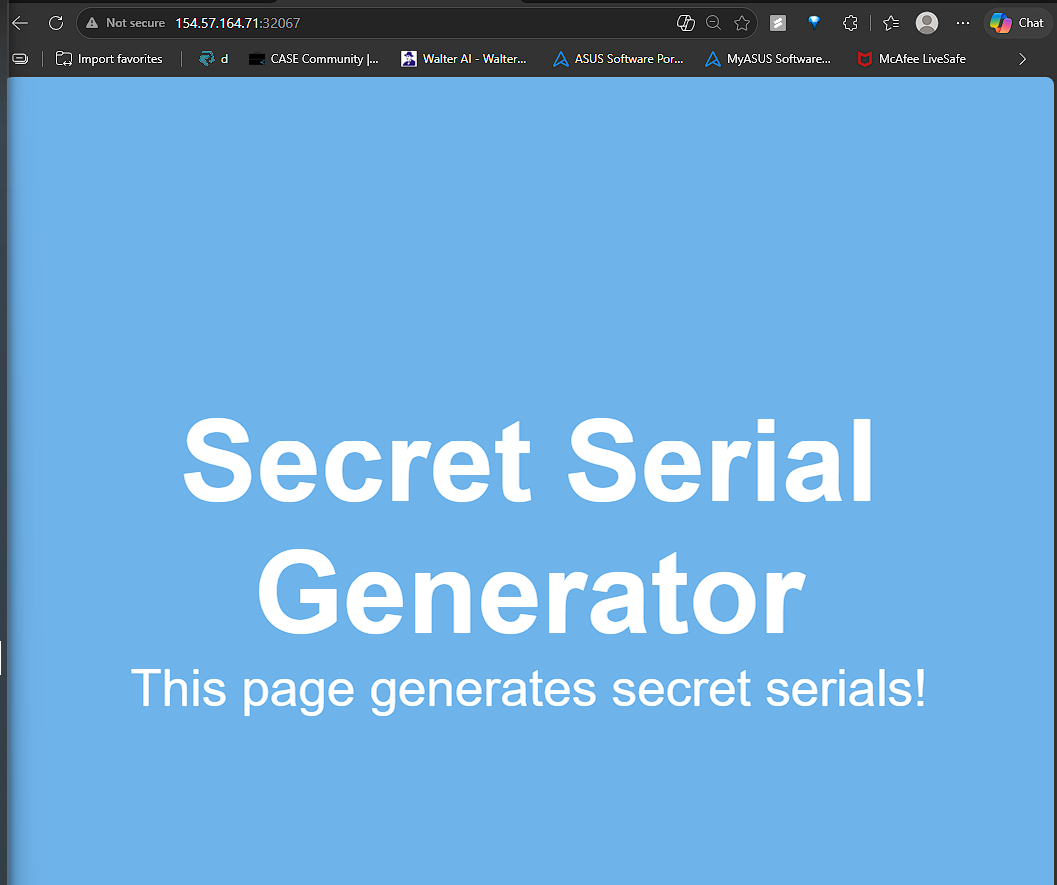
Plain site with no obvious details, so I inspected the http source view of the website
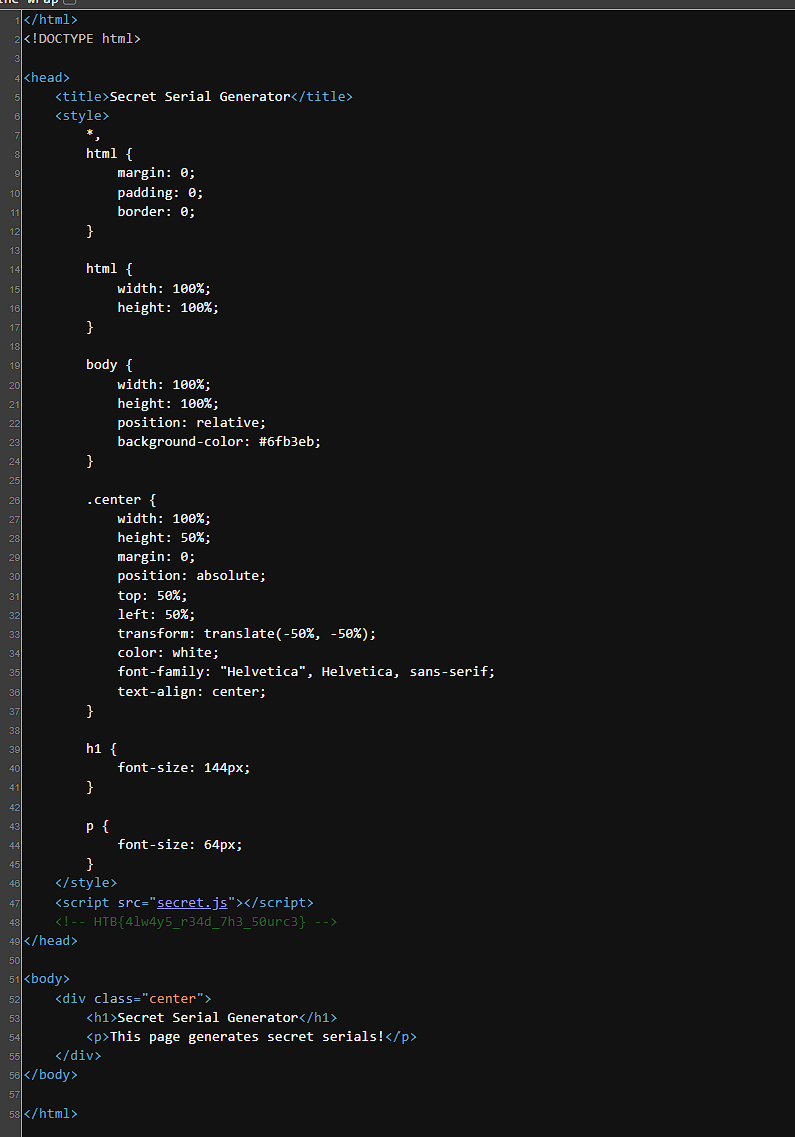
Ctrl+U to check comments always, just in case anything was left
CSS
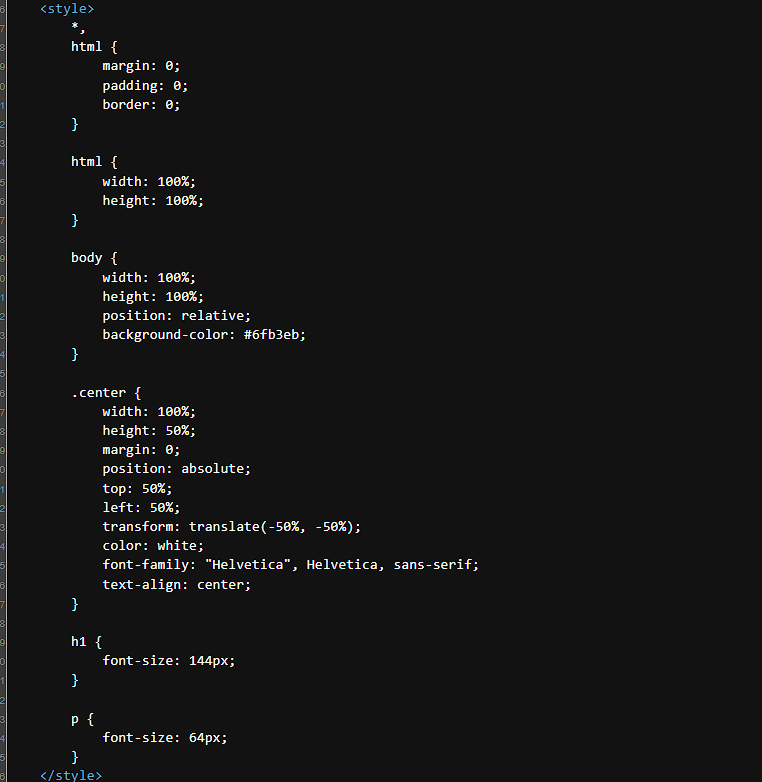 If a page
 CSS style is externally defined, the external .css file is referred to with the <link> tag within the HTML head, as follows:
<head>
    <link rel="stylesheet" href="style.css">
</head>
JavaScript
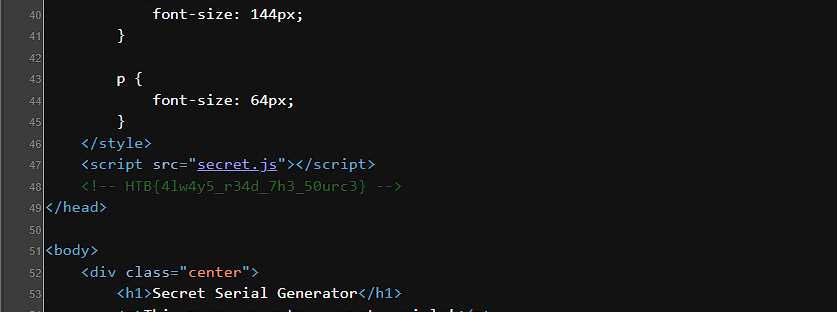
Same concept for JavaScript as .js can be referenced within html code


Flag for this section assessment
Code Obfuscation
Obfuscation keeps the script working but makes it hard to read. JavaScript is a common target because it runs client-side in cleartext.
Common Use Cases:
- Intellectual Property Protection: Developers hide code to prevent unauthorized copying or reuse.
- Reverse Engineering Deterrence: Making the code difficult to understand prevents others from analyzing its original functionality.
- Security Layering: It can be used to obscure authentication or encryption processes, though relying on client-side code for security is generally discouraged.
- Malicious Activity: The most frequent use is by attackers to bypass Intrusion Detection and Prevention systems.
Basic Obfuscation
Code obfuscation is not usually done manually and various languages do automated code obfuscation . Many devs and malicious actors develop their own tools to obfuscate for making it difficult to deobfuscate
Minifying JS code
Code minification keeps the code functional but reduces readability
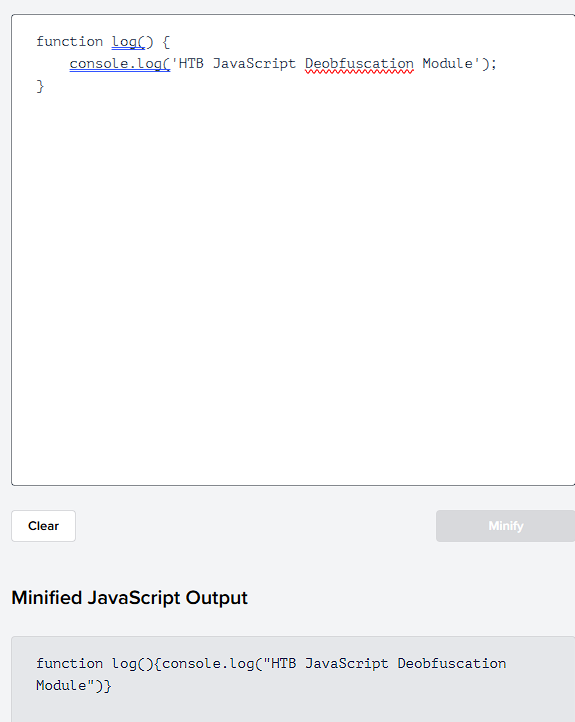
Usually, minified JavaScript code is saved with the extension .min.js and it is not limited to JS; it can be applied to other languages too
Packing JS code
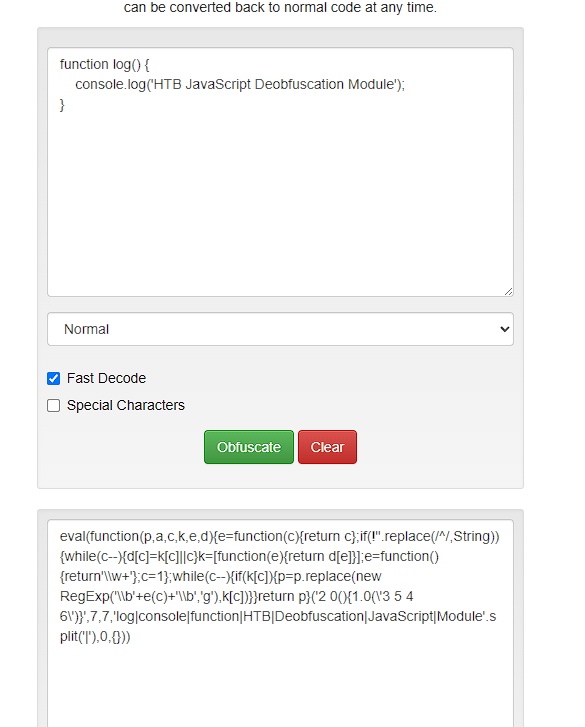
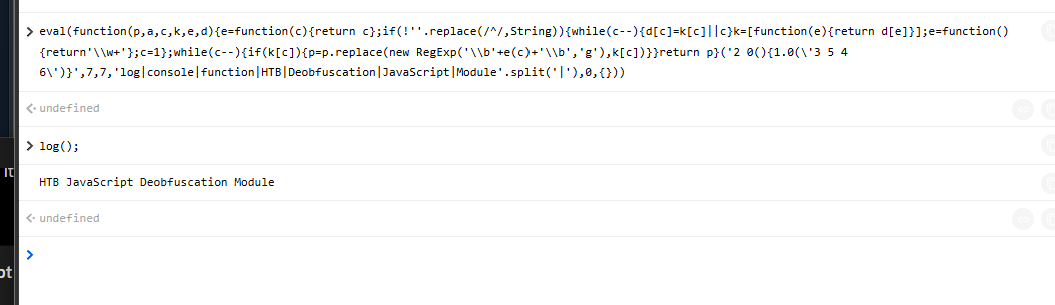
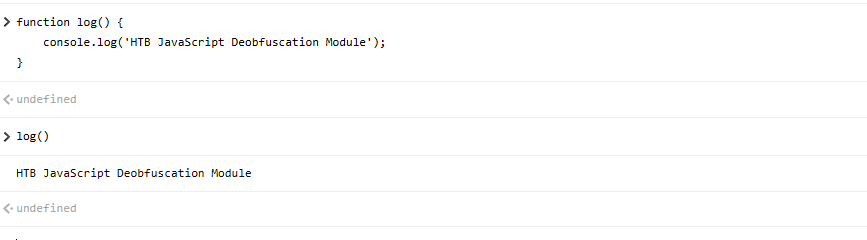
same output
Packer Obfuscation
Online Javascript Obfuscator - BeautifyTools.com
A packer replaces code words and symbols with short references stored in a list or dictionary. A function such as (p,a,c,k,e,d) reconstructs the original code when it runs.
This makes the code harder to read, but important strings may still remain visible in cleartext, which can reveal the script’s purpose.
Then I moved to a more advanced obfuscation setup
Advanced obfuscation
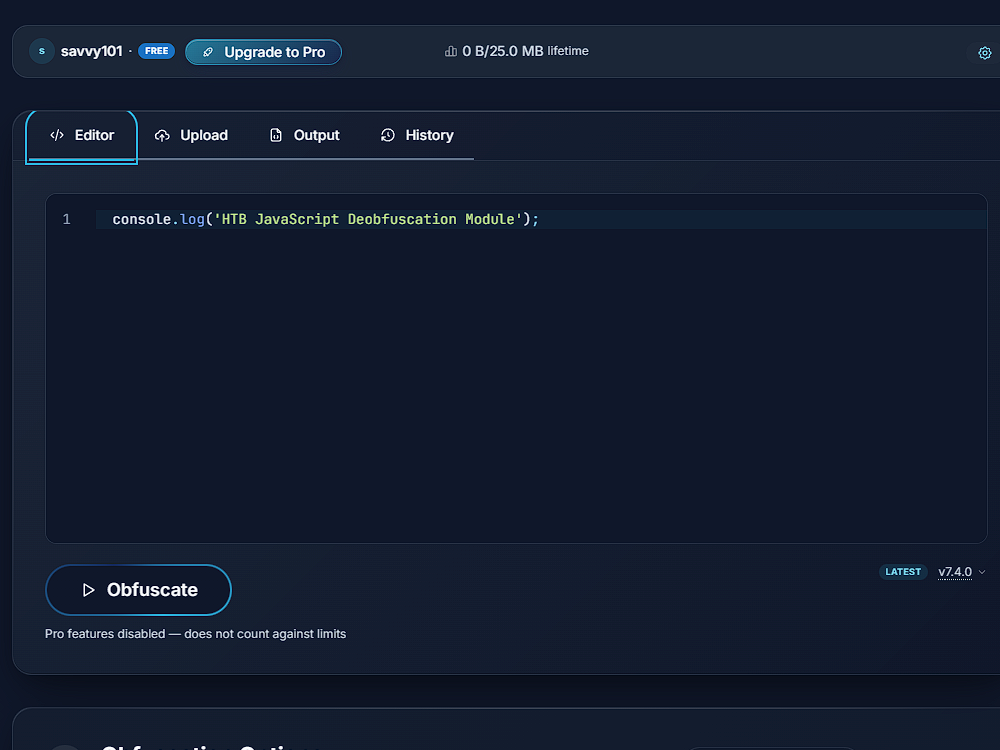
and changing string array to base64
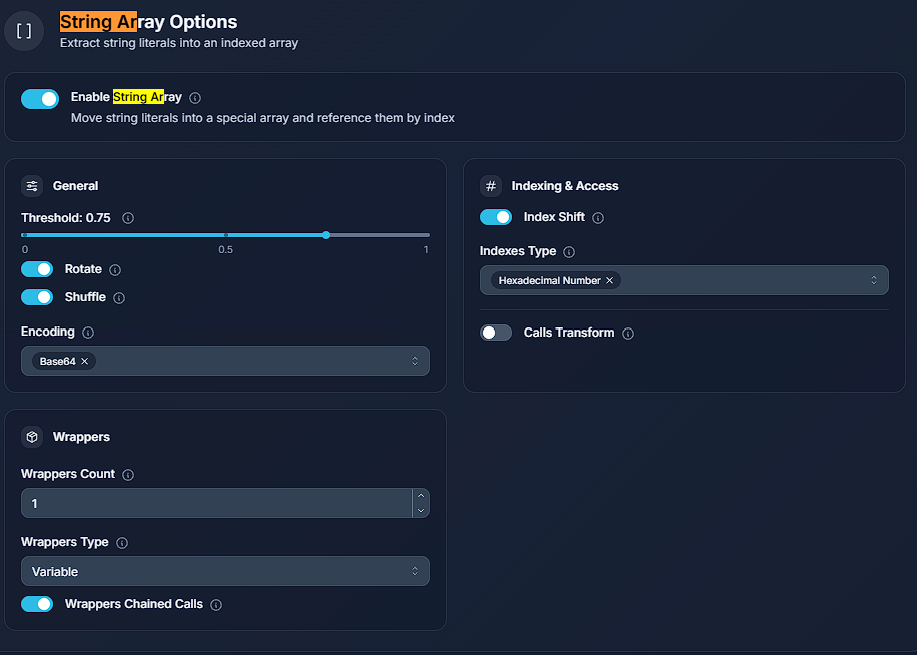
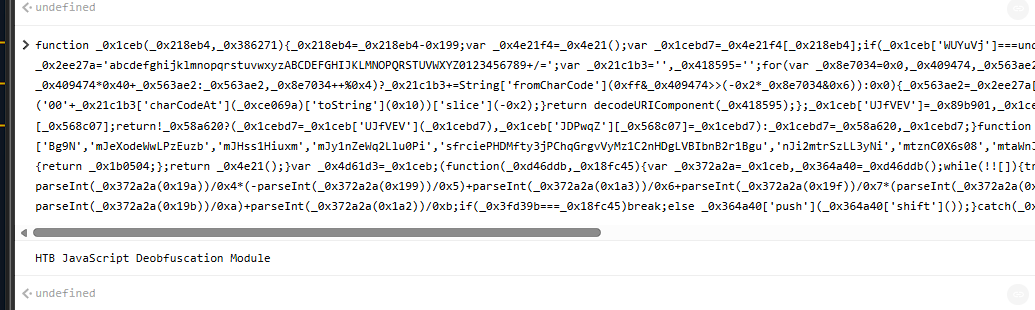
function _0x1ceb(_0x218eb4,_0x386271){_0x218eb4=_0x218eb4-0x199;var _0x4e21f4=_0x4e21();var _0x1cebd7=_0x4e21f4[_0x218eb4];if(_0x1ceb['WUYuVj']===undefined){var _0x89b901=function(_0x36f6c7){var _0x2ee27a='abcdefghijklmnopqrstuvwxyzABCDEFGHIJKLMNOPQRSTUVWXYZ0123456789+/=';var _0x21c1b3='',_0x418595='';for(var _0x8e7034=0x0,_0x409474,_0x563ae2,_0x40121e=0x0;_0x563ae2=_0x36f6c7['charAt'](_0x40121e++);~_0x563ae2&&(_0x409474=_0x8e7034%0x4?_0x409474*0x40+_0x563ae2:_0x563ae2,_0x8e7034++%0x4)?_0x21c1b3+=String['fromCharCode'](0xff&_0x409474>>(-0x2*_0x8e7034&0x6)):0x0){_0x563ae2=_0x2ee27a['indexOf'](_0x563ae2);}for(var _0xce069a=0x0,_0x50b7a0=_0x21c1b3['length'];_0xce069a<_0x50b7a0;_0xce069a++){_0x418595+='%'+('00'+_0x21c1b3['charCodeAt'](_0xce069a)['toString'](0x10))['slice'](-0x2);}return decodeURIComponent(_0x418595);};_0x1ceb['UJfVEV']=_0x89b901,_0x1ceb['JDPwqZ']={},_0x1ceb['WUYuVj']=!![];}var _0x15cd0b=_0x4e21f4[0x0],_0x568c07=_0x218eb4+_0x15cd0b,_0x58a620=_0x1ceb['JDPwqZ'][_0x568c07];return!_0x58a620?(_0x1cebd7=_0x1ceb['UJfVEV'](_0x1cebd7),_0x1ceb['JDPwqZ'][_0x568c07]=_0x1cebd7):_0x1cebd7=_0x58a620,_0x1cebd7;}function _0x4e21(){var _0x1b0504=['Bg9N','mJeXodeWwLPzEuzb','mJHss1Hiuxm','mJy1nZeWq2Llu0Pi','sfrciePHDMfty3jPChqGrgvVyMz1C2nHDgLVBIbnB2r1Bgu','nJi2mtrSzLL3yNi','mtznC0X6s08','mtaWnJu4nMXHENvvEG','mJa0mJCWnLzQrfLRtq','mJa3tLfvBwDm','mtuWnda5nMPUDMXpza','nda1oty0oef4teDNCG','mtbJz3rWr3G'];_0x4e21=function(){return _0x1b0504;};return _0x4e21();}var _0x4d61d3=_0x1ceb;(function(_0xd46ddb,_0x18fc45){var _0x372a2a=_0x1ceb,_0x364a40=_0xd46ddb();while(!![]){try{var _0x3fd39b=-parseInt(_0x372a2a(0x19d))/0x1*(-parseInt(_0x372a2a(0x1a4))/0x2)+-parseInt(_0x372a2a(0x1a0))/0x3+-parseInt(_0x372a2a(0x19a))/0x4*(-parseInt(_0x372a2a(0x199))/0x5)+parseInt(_0x372a2a(0x1a3))/0x6+parseInt(_0x372a2a(0x19f))/0x7*(parseInt(_0x372a2a(0x19e))/0x8)+parseInt(_0x372a2a(0x1a1))/0x9*(-parseInt(_0x372a2a(0x19b))/0xa)+parseInt(_0x372a2a(0x1a2))/0xb;if(_0x3fd39b===_0x18fc45)break;else _0x364a40['push'](_0x364a40['shift']());}catch(_0x34866e){_0x364a40['push'](_0x364a40['shift']());}}}(_0x4e21,0x662cd),console[_0x4d61d3(0x1a5)](_0x4d61d3(0x19c)));
Running that obfuscated block:
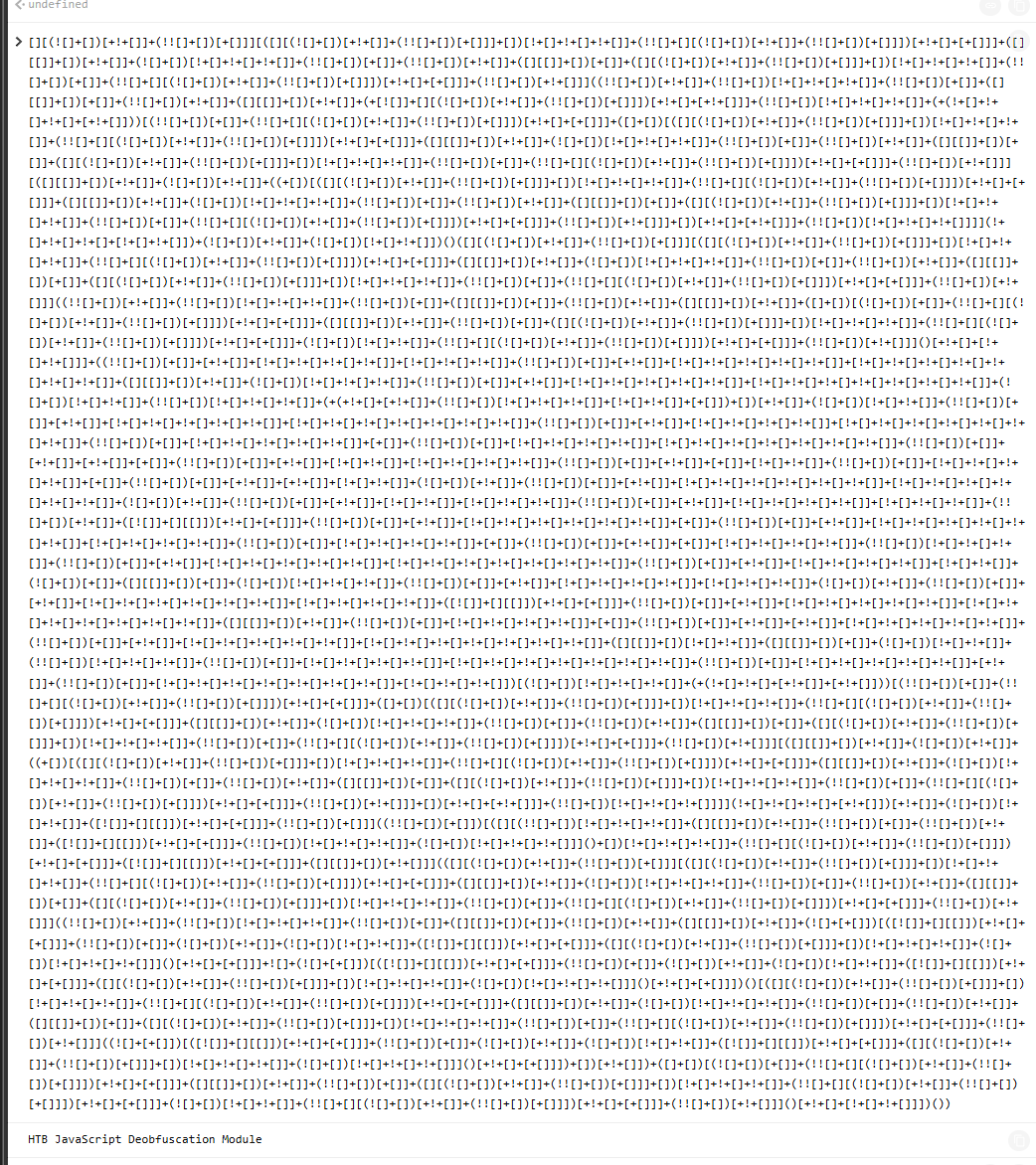
I also tried JSFuck - Write any JavaScript with 6 Characters: []()!+
jjencode - Encode any JavaScript program using only symbols
aaencode - Encode any JavaScript program to Japanese style emoticons (^_^)
JSFuck was the wildest of the bunch
Deobfuscation
For deobfuscation, formatting minified code is a useful first step: Prettier playground and beautifier.io
Before:
eval(function (p, a, c, k, e, d) { e = function (c) { return c.toString(36) }; if (!''.replace(/^/, String)) { while (c--) { d[c.toString(a)] = k[c] || c.toString(a) } k = [function (e) { return d[e] }]; e = function () { return '\\w+' }; c = 1 }; while (c--) { if (k[c]) { p = p.replace(new RegExp('\\b' + e(c) + '\\b', 'g'), k[c]) } } return p }('g 4(){0 5="6{7!}";0 1=8 a();0 2="/9.c";1.d("e",2,f);1.b(3)}', 17, 17, 'var|xhr|url|null|generateSerial|flag|HTB|flag|new|serial|XMLHttpRequest|send|php|open|POST|true|function'.split('|'), 0, {}))
After:
eval(function(p, a, c, k, e, d) {
    e = function(c) {
        return c.toString(36)
    };
    if (!''.replace(/^/, String)) {
        while (c--) {
            d[c.toString(a)] = k[c] || c.toString(a)
        }
        k = [function(e) {
            return d[e]
        }];
        e = function() {
            return '\\w+'
        };
        c = 1
    };
    while (c--) {
        if (k[c]) {
            p = p.replace(new RegExp('\\b' + e(c) + '\\b', 'g'), k[c])
        }
    }
    return p
}('g 4(){0 5="6{7!}";0 1=8 a();0 2="/9.c";1.d("e",2,f);1.b(3)}', 17, 17, 'var|xhr|url|null|generateSerial|flag|HTB|flag|new|serial|XMLHttpRequest|send|php|open|POST|true|function'.split('|'), 0, {}))
Formatting alone is a starting point, not enough on its own
For unpacking, one online tool I used:
https://matthewfl.com/unPacker.html
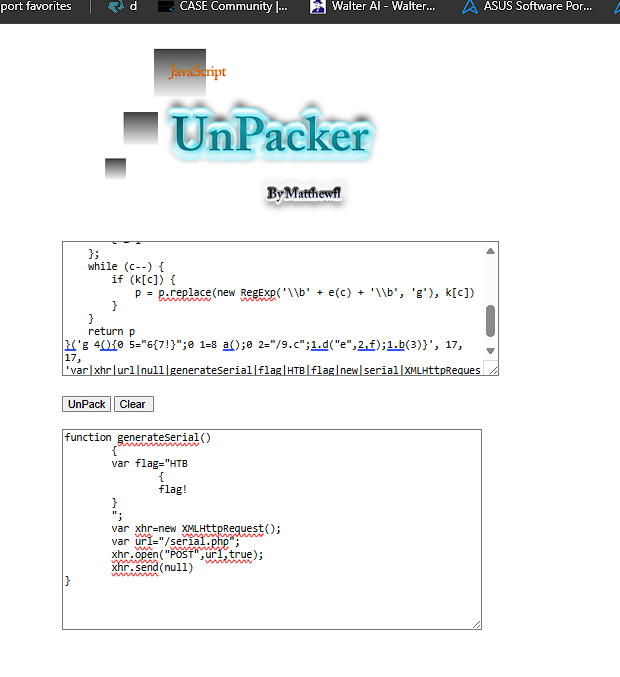
That tool made the unpacked logic much easier to read
function generateSerial()
	{
	var flag="HTB
		{
		flag!
	}
	";
	var xhr=new XMLHttpRequest();
	var url="/serial.php";
	xhr.open("POST",url,true);
	xhr.send(null)
}
Reverse engineering
Once the code is heavily obfuscated or encoded, automated tools often stop being enough, especially with custom obfuscators. Usually you reverse engineer the code to understand how it was obfuscated and what it actually does.
secret.js from earlier in the module
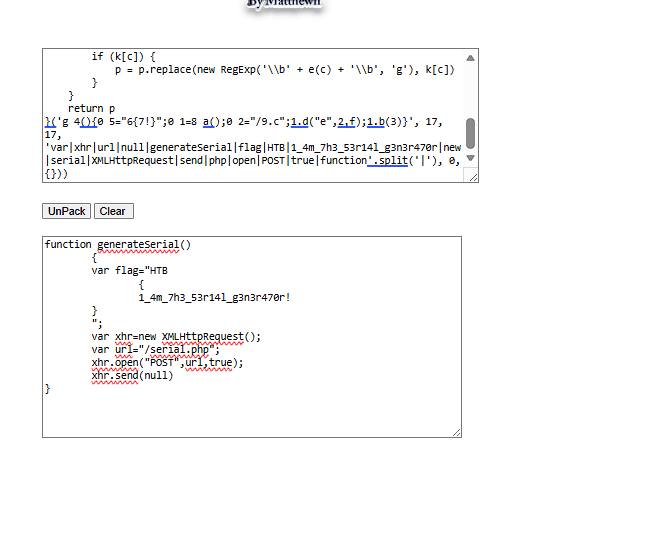
Flag for this is HTB{1_4m_7h3_53r14l_g3n3r470r!}
Code Analysis
'use strict';

function generateSerial() {
  ...SNIP...

  var xhr = new XMLHttpRequest();
  var url = "/serial.php";

  xhr.open("POST", url, true);
  xhr.send(null);
}
The secret.js file contains a single function named generateSerial.
xhrcreates anXMLHttpRequestobject used to send HTTP requests.urlstores the endpoint/serial.php.xhr.open()prepares aPOSTrequest to the endpoint.xhr.send(null)sends the request without any POST data.
So generateSerial just sends an empty POST to /serial.php. Nothing on the page calls it, but the endpoint still responds when you hit it manually.
HTTP Requests
From the deobfuscated secret.js, the function sends no form values or request body:
xhr.send(null);
So the request looks conceptually like:
POST /serial.php
Content-Length: 0
I inspected the same HTTP behaviour with curl
C:\Users\Kismat>curl http://154.57.164.71:32067/
</html>
<!DOCTYPE html>

<head>
    <title>Secret Serial Generator</title>
    <style>
        *,
        html {
            margin: 0;
            padding: 0;
            border: 0;
        }

        html {
            width: 100%;
            height: 100%;
        }

        body {
            width: 100%;
            height: 100%;
            position: relative;
            background-color: #6fb3eb;
        }

        .center {
            width: 100%;
            height: 50%;
            margin: 0;
            position: absolute;
            top: 50%;
            left: 50%;
            transform: translate(-50%, -50%);
            color: white;
            font-family: "Helvetica", Helvetica, sans-serif;
            text-align: center;
        }

        h1 {
            font-size: 144px;
        }

        p {
            font-size: 64px;
        }
    </style>
    <script src="secret.js"></script>
    <!-- HTB{4lw4y5_r34d_7h3_50urc3} -->
</head>

<body>
    <div class="center">
        <h1>Secret Serial Generator</h1>
        <p>This page generates secret serials!</p>
    </div>
</body>

</html>
C:\Users\Kismat>
Sending a POST request returned what looked like a Base64-encoded string, so the server was handling the endpoint
C:\Users\Kismat>curl -X -s POST http://154.57.164.71:32067/serial.php
N2gxNV8xNV9hX3MzY3IzN19tMzU1NGcz
Decoding
The POST to /serial.php returned a Base64-looking string. Three encoding methods from the module:
base64
Base64
Base64 is an encoding method that converts binary or text data into readable ASCII characters using:
A-Z, a-z, 0-9, +, /
It is commonly used to safely transmit data in text-based formats. It is not encryption and usually increases the data size.
Spotting Base64
Base64 strings usually:
-
Contain only letters, numbers,
+, and/ -
Have a length divisible by
4 -
May end with
=or==as padding
Example:
SGVsbG8=
Encode and decode:
┌──(root㉿jaybhairavbaba)-[/mnt/c/Users/Kismat]
└─# echo https://www.hackthebox.eu/ | base64
aHR0cHM6Ly93d3cuaGFja3RoZWJveC5ldS8K

┌──(root㉿jaybhairavbaba)-[/mnt/c/Users/Kismat]
└─# echo aHR0cHM6Ly93d3cuaGFja3RoZWJveC5ldS8K | base64 -d
https://www.hackthebox.eu/
hex
Hex Encoding
Hex encoding represents each byte using two hexadecimal characters:
0-9 and a-f
Example:
a → 61
b → 62
c → 63
Spotting Hex
Hex-encoded strings usually:
- Contain only
0-9anda-f - Often have an even number of characters
- Use two hex characters for each original byte
Example:
48656c6c6f → Hello
┌──(root㉿jaybhairavbaba)-[/mnt/c/Users/Kismat]
└─# echo https://www.hackthebox.eu/ | xxd -p
68747470733a2f2f7777772e6861636b746865626f782e65752f0a

┌──(root㉿jaybhairavbaba)-[/mnt/c/Users/Kismat]
└─# echo 68747470733a2f2f7777772e6861636b746865626f782e65752f0a | xxd -p -r
https://www.hackthebox.eu/
rot13
Caesar Cipher / ROT13
A Caesar cipher shifts each letter by a fixed number of positions in the alphabet.
Example with a shift of 1:
a → b
b → c
c → d
ROT13 is a common Caesar cipher that shifts letters by 13 positions.
hello → uryyb
Spotting Caesar / ROT13
Caesar-ciphered text:
- Contains normal letters but appears unreadable
- Preserves spaces, punctuation, and text structure
- May still resemble the original pattern
Example:
http://www → uggc://jjj
ROT13 is reversible by applying ROT13 again.
example
┌──(root㉿jaybhairavbaba)-[/mnt/c/Users/Kismat]
└─#  echo https://www.hackthebox.eu/ | tr 'A-Za-z' 'N-ZA-Mn-za-m'
uggcf://jjj.unpxgurobk.rh/

┌──(root㉿jaybhairavbaba)-[/mnt/c/Users/Kismat]
└─#  echo uggcf://jjj.unpxgurobk.rh/ | tr 'A-Za-z' 'N-ZA-Mn-za-m'
https://www.hackthebox.eu/
Other encoding types exist too. Tools like Boxentriq cipher identifier help identify the method; CyberChef is useful for trying decodes.
Encryption adds another layer, and that is usually separate from the script itself
The Base64 string from the POST response decodes to:
┌──(root㉿jaybhairavbaba)-[/mnt/c/Users/Kismat]
└─# echo "N2gxNV8xNV9hX3MzY3IzN19tMzU1NGcz" | base64 -d
7h15_15_a_s3cr37_m3554g3
Then send a POST to serial.php with serial=7h15_15_a_s3cr37_m3554g3:
┌──(root㉿jaybhairavbaba)-[/mnt/c/Users/Kismat]
└─# curl -s -X POST http://154.57.164.71:32067/serial.php -d "serial=7h15_15_a_s3cr37_m3554g3"
HTB{ju57_4n07h3r_r4nd0m_53r14l}
Lab flow so far:
Deobfuscate secret.js
        ↓
Find hidden POST request to /serial.php
        ↓
Send POST request manually
        ↓
Server returns Base64:
N2gxNV8xNV9hX3MzY3IzN19tMzU1NGcz
        ↓
Decode Base64:
7h15_15_a_s3cr37_m3554g3
        ↓
Send it back as:
serial=7h15_15_a_s3cr37_m3554g3
        ↓
Server returns the final HTB flag
Skill Assessment
Skill assessment page with obfuscated api.min.js hooked from the HTML source.
HTML page:
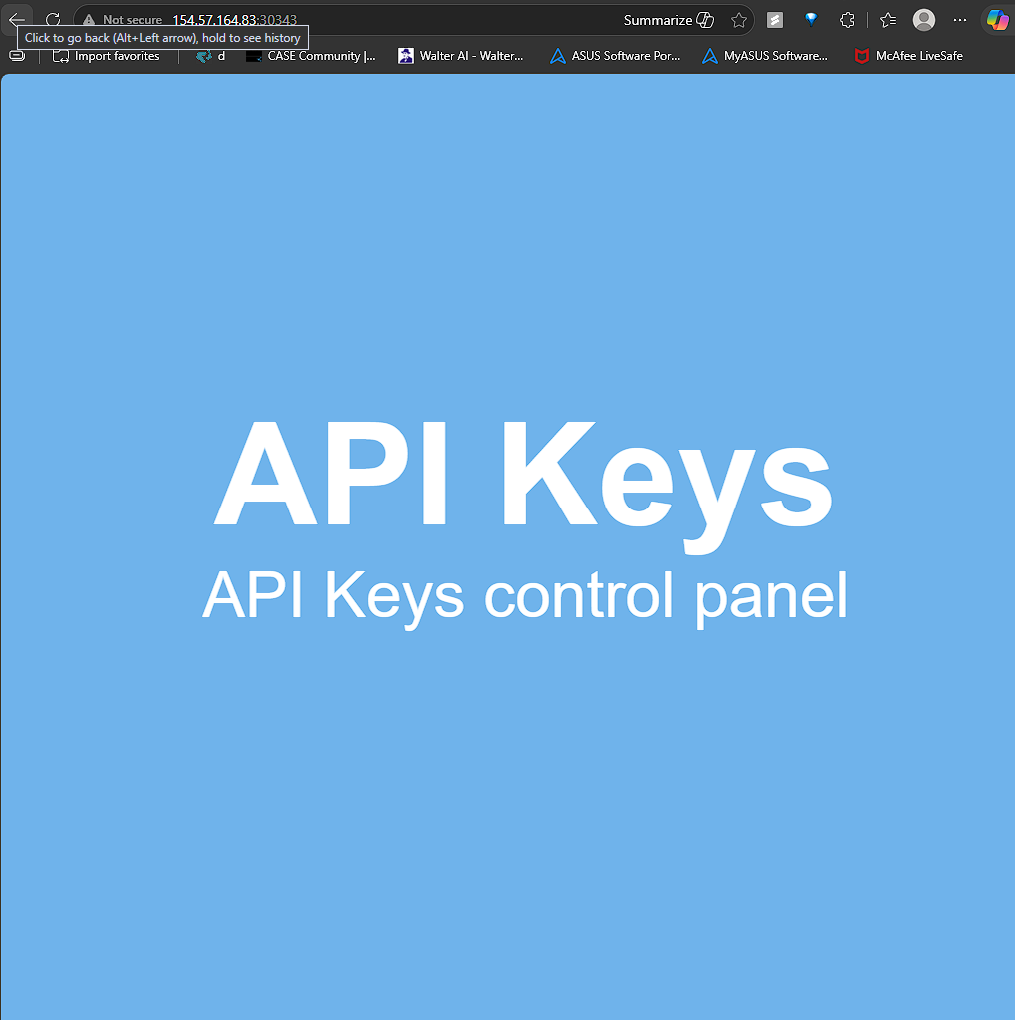
HTML source:
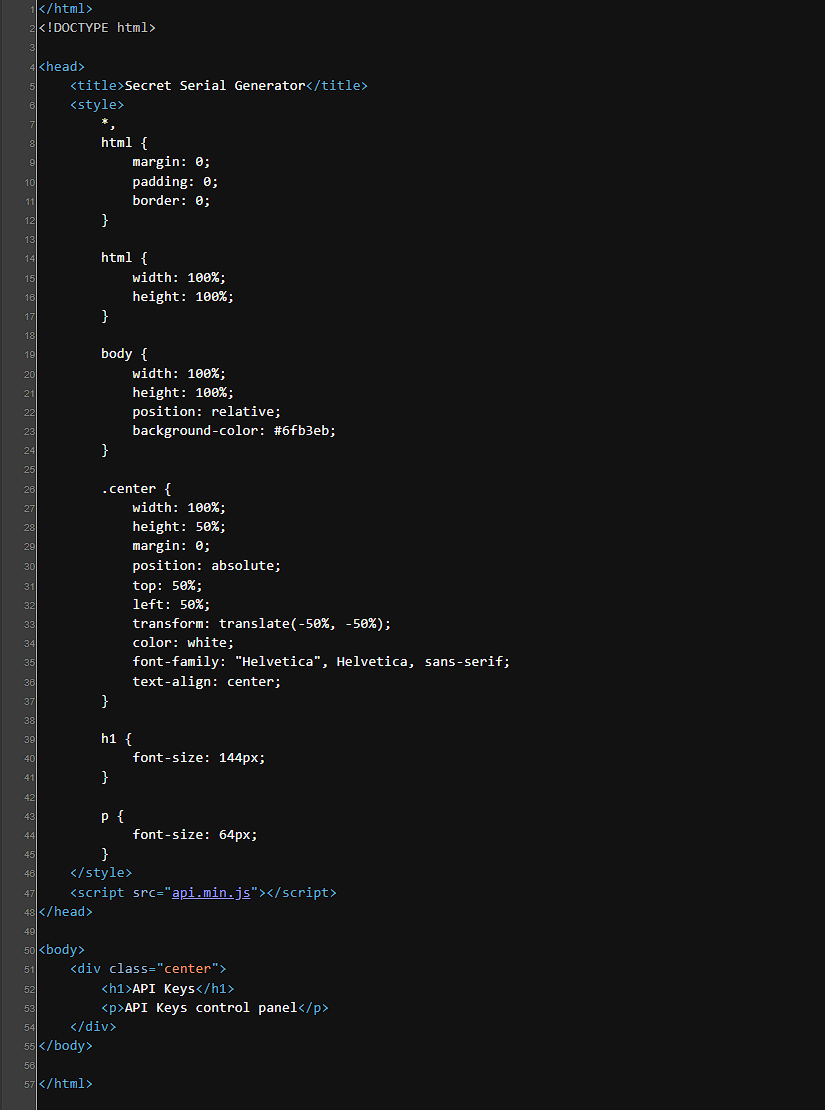
api.min.js from the page source:
eval(function (p, a, c, k, e, d) { e = function (c) { return c.toString(36) }; if (!''.replace(/^/, String)) { while (c--) { d[c.toString(a)] = k[c] || c.toString(a) } k = [function (e) { return d[e] }]; e = function () { return '\\w+' }; c = 1 }; while (c--) { if (k[c]) { p = p.replace(new RegExp('\\b' + e(c) + '\\b', 'g'), k[c]) } } return p }('t 5(){6 7=\'1{n\'+\'8\'+\'9\'+\'a\'+\'b\'+\'c!\'+\'}\',0=d e(),2=\'/4\'+\'.g\';0[\'f\'](\'i\',2,!![]),0[\'k\'](l)}m[\'o\'](\'1{j\'+\'p\'+\'q\'+\'r\'+\'s\'+\'h\'+\'3}\');', 30, 30, 'xhr|HTB|_0x437f8b|k3y|keys|apiKeys|var|flag|3v3r_|run_0|bfu5c|473d_|c0d3|new|XMLHttpRequest|open|php|n_15_|POST||send|null|console||log|4v45c|r1p7_|3num3|r4710|function'.split('|'), 0, {}))
After deobfuscation and unpacking, it came out as:
function apiKeys()
	{
	var flag='HTB
		{
		n'+'3v3r_'+'run_0'+'bfu5c'+'473d_'+'c0d3!'+'
	}
	',xhr=new XMLHttpRequest(),_0x437f8b='/keys'+'.php';
	xhr['open']('POST',_0x437f8b,!![]),xhr['send'](null)
}
console['log']('HTB
	{
	j'+'4v45c'+'r1p7_'+'3num3'+'r4710'+'n_15_'+'k3y
}
');
Code breakdown:
The apiKeys() function:
- Builds this flag:
HTB{n3v3r_run_0bfu5c473d_c0d3!}
-
Creates an
XMLHttpRequest. -
Sends an empty asynchronous
POSTrequest to:
/keys.php
Here, !![] means true.
The final console.log() prints:
HTB{j4v45cr1p7_3num3r4710n_15_k3y}
The function sends an empty POST to /keys.php. Testing it:
┌──(root㉿jaybhairavbaba)-[/mnt/c/Users/Kismat]
└─# curl -s -X POST http://154.57.164.83:30343/keys.php
4150495f70336e5f37333537316e365f31355f66756e
┌──(root㉿jaybhairavbaba)-[/mnt/c/Users/Kismat]

└─# echo "4150495f70336e5f37333537316e365f31355f66756e" | xxd -p -r
API_p3n_73571n6_15_fun
┌──(root㉿jaybhairavbaba)-[/mnt/c/Users/Kismat]
└─# curl -s -X POST http://154.57.164.83:30343/keys.php \
-d "key=API_p3n_73571n6_15_fun"
HTB{r34dy_70_h4ck_my_w4y_1n_2_HTB}
Skill assessment flow:
Inspect the HTML page
        ↓
Find and open the obfuscated api.min.js file
        ↓
Deobfuscate the JavaScript
        ↓
Recover the apiKeys() function
        ↓
Identify two embedded flags:
HTB{n3v3r_run_0bfu5c473d_c0d3!}
HTB{j4v45cr1p7_3num3r4710n_15_k3y}
        ↓
Discover that apiKeys() sends an empty POST request to:
/keys.php
        ↓
Replicate the request manually:
curl -s -X POST http://154.57.164.83:30343/keys.php
        ↓
Server returns a hex-encoded value:
4150495f70336e5f37333537316e365f31355f66756e
        ↓
Decode the hex:
API_p3n_73571n6_15_fun
        ↓
Send the decoded key back using the key parameter:
key=API_p3n_73571n6_15_fun
        ↓
Server returns the final flag:
HTB{r34dy_70_h4ck_my_w4y_1n_2_HTB}
Key Takeaway
- Check HTML source, comments, and linked
.jsfiles before the obfuscated script. - Minified or packed JS: beautify, then unpack. Custom obfuscation still needs manual reading.
- Read the deobfuscated function for hidden endpoints and what it POSTs.
- Replay with curl, check the response, decode it (Base64, hex, ROT13), send the value back.
References
[HTB Academy] Certified Defensive Security Analyst (CDSA) - Module 13: JavaScript Deobfuscation. https://academy.hackthebox.com/